Jewelry Identifier Gem Scanner
Identifier StudioBusiness
4.4171.00 Reviews
- Version
- 1.16
- Installs
- 100.00K
- Age Rating
- Everyone
Screenshots
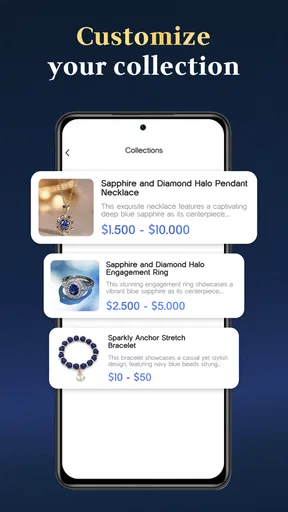
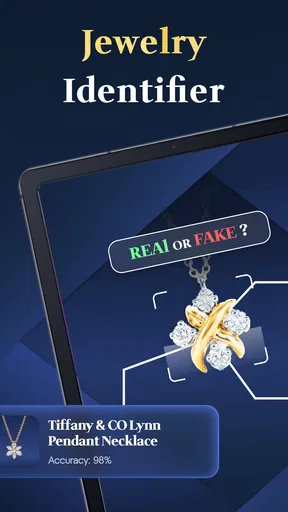
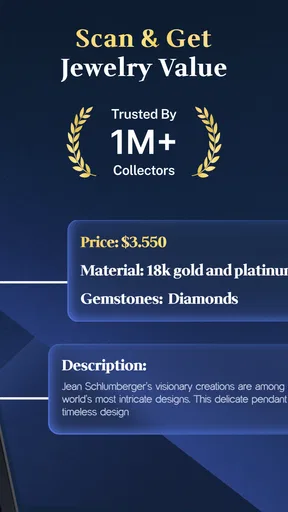
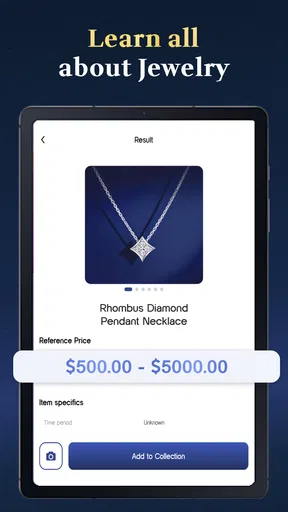
Our Review of Jewelry Identifier Gem Scanner
 Analysis by Appyee
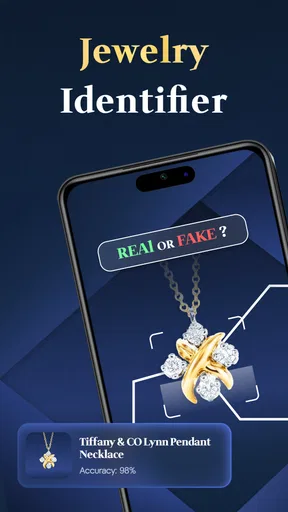
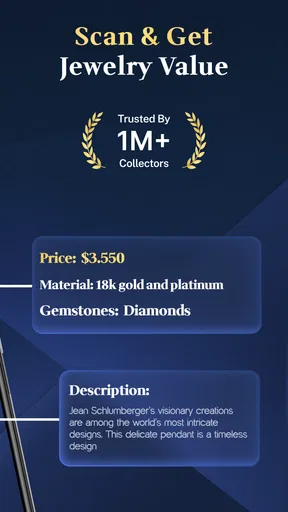
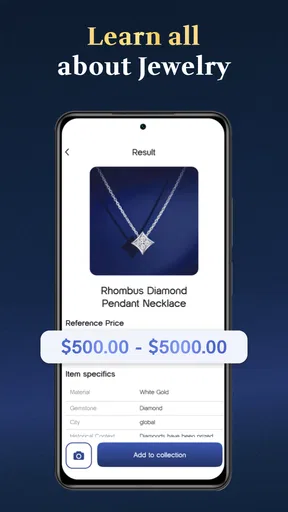
I tried Jewelry Identifier Gem Scanner with a simple household question in mind: could it help several people make sense of an unfamiliar ring, stone, or necklace without turning the process into a research project? My answer is yes, as long as everyone treats the result as a helpful starting point rather than a professional appraisal. It is a free business app from Identifier Studio, designed around photo-based jewelry and gemstone identification, and its strongest quality is how quickly it gives a family something concrete to discuss.
That makes it more useful than a static reference guide when someone finds an inherited brooch, receives an old pendant, or wants to understand a loose stone before visiting a jeweler. I found the experience approachable enough for casual use, but I would not use it as the sole basis for selling valuable jewelry, confirming insurance details, or settling an argument about authenticity. The app can support those decisions; it should not replace an expert who examines the item in person.
How it fits into a shared household
The most natural scenario is a shared discovery. One person has a piece of jewelry, another has a phone, and everyone wants a quick idea of what they are looking at. Instead of passing around a magnifying glass and opening several browser tabs, you can photograph the item and use the result as a conversation starter. That is especially handy with mixed household collections, where nobody remembers whether a stone came from a recent purchase, a relative, or a box that has been stored for years.
I can also see it being useful before a family appointment with a jeweler. A quick scan may help people prepare sensible questions about a stone’s likely type, the metal around it, or which details deserve closer attention. The important distinction is that the app helps organize curiosity. It does not magically turn a phone camera into laboratory equipment.
For shared-device use, the practical advantage is simplicity. A single person can hold the jewelry while someone else takes the picture, then the group can look at the result together. That arrangement is better than asking an older relative or a child to manage the whole process alone. It also reduces the temptation to accept the first result without discussing lighting, angle, wear, or the visible condition of the item.
The app’s store rating is a 4.4 average from around 4.2 thousand ratings, which suggests that many people find the basic idea useful. Its audience is broad: the content rating is Everyone, and the app belongs to the Business category rather than entertainment. In my view, that positioning makes sense because the value comes from identification and preparation, not from collecting badges or turning jewelry into a game.
Start with a clear household role
Before opening it, I would decide who is responsible for photographing the item and who will record the result. That small bit of coordination prevents a common problem with shared devices: several people remember different conclusions, but nobody remembers which image produced which conclusion. A simple note with the item’s nickname, date of discovery, and the app’s result is enough for casual household organization.
This is particularly helpful when a family is sorting several pieces at once. A plain ring, a stone-heavy pendant, and a chain with a small setting can look similar in a hurried session, especially when they are placed on the same table. Photographing and discussing one item at a time keeps the process manageable. I would avoid scanning a pile of jewelry in one rushed sequence because the human side of the workflow becomes the weak link.
Another useful habit is to take the picture in a calm setting rather than during a conversation full of distractions. Jewelry is small, reflective, and easy to position badly. A child may want to hold the phone, while an adult may want to handle the item; agreeing on that beforehand protects both the device and the jewelry. The app does not need a complicated family system to be useful, but the household does benefit from a little structure.
What the setup does and does not establish
Jewelry Identifier Gem Scanner is currently at version 1.16 and requires at least iOS or Android equivalent version 11. That makes compatibility an important first check on older phones kept in a family drawer or used as shared devices. If the household phone is several operating-system generations behind, the app may not be the right choice for that device even though the concept itself is straightforward.
The app is free to install, while in-app purchases range from about five dollars to around fifty dollars per item. I would be careful about handing the phone to a child without an adult nearby, not because the age rating is restrictive—it is Everyone—but because a shared device can make any purchase flow a household issue. An adult should handle decisions about optional spending, especially when several family members use the same store account.
That is also why I would not assume that installing the app creates separate personal spaces for each person. The safest approach is to treat the phone, its saved material, and any purchase prompts as belonging to the device owner. If a teenager borrows the phone to inspect a stone, the adult owner should remain responsible for the final result and any store confirmation.
For privacy and trust, I would follow the same sensible rule I use with any photo-based tool: photograph only the jewelry, not documents, faces, addresses, or other household items in the background. A plain surface makes the image easier to interpret and keeps the session focused. This is not about making the app feel complicated; it is about avoiding accidental clutter and keeping shared use comfortable for everyone.
Getting a more useful result from a photo
The most important practical insight is that identification quality begins before the scan. Place the item on a contrasting, steady surface and make sure the camera can see the stone or setting clearly. Reflections from windows, strong overhead lamps, and patterned fabrics can make a small gemstone harder to read. I would take a moment to remove visual distractions rather than repeatedly blaming the result afterward.
For a ring, photograph the face of the setting first, then consider another view that shows the band and surrounding metal. A necklace may need attention to both its central stone and its clasp or chain. A loose gemstone should be positioned so its shape and facets are visible. These are not separate app modes I am claiming; they are practical ways to give a photo-based identifier better material to work with.
Do not polish or alter an old item just to make it look better for the camera. Household jewelry may have delicate surfaces, loose settings, or sentimental value. A soft, stable presentation is preferable to aggressive cleaning. If a piece is fragile, valuable, or inherited, the responsible decision may be to stop at visual documentation and take it to a professional rather than repeatedly handling it for additional scans.
I also recommend keeping the original photo connected to the result. If the app suggests a gemstone and the family later consults a jeweler, that image gives everyone a shared reference point. It helps separate “the app identified it as something similar to this” from “the jeweler confirmed the material.” That distinction is easy to lose when several people discuss an item days later.
Coordinating decisions after identification
A scan can create confidence quickly, and that is both its appeal and its main risk. If one household member sees a familiar gemstone name, they may immediately assume the piece is genuine or valuable. I would slow that reaction down. Use the result to decide what to ask next, not to decide what the item is worth.
For an inherited piece, the sensible workflow is to photograph it, write down the app’s suggestion, and gather any family history about where it came from. Then compare those clues with a jeweler’s inspection if the item matters financially or emotionally. The app is most valuable in that process when it helps the family arrive prepared rather than when it is treated as the final authority.
For a possible purchase, I would use it before a conversation with the seller, not instead of one. A quick scan may highlight questions about the stone or setting, but it cannot independently verify every claim made in a listing or shop. If the seller is asking a significant amount, professional documentation and an in-person assessment are more appropriate than relying on a phone result.
There is also a useful division of labor in a household. One person can photograph, another can compare the result with the item’s visible features, and an adult can decide whether further evaluation is worthwhile. This makes the app a coordination tool without pretending it has built-in family accounts, assignments, or shared records. The coordination comes from how people use it.
Age, trust, and realistic expectations
Because the app is rated Everyone, it is suitable in an age-context sense for ordinary family curiosity. Still, “suitable for everyone” does not mean that every user should make independent conclusions. Younger users may enjoy learning the names of stones, but an adult should explain that an identification suggestion is different from a valuation, authenticity certificate, or safety assessment.
That conversation is a genuine strength of the app’s household use. It gives parents, grandparents, and children a reason to discuss evidence and uncertainty in a practical way. Ask what the camera actually saw, whether the lighting was good, and what information would still need professional confirmation. Those questions turn a quick scan into a small lesson in careful observation.
Trust matters just as much between adults. If a family is dividing inherited jewelry, the app should not be used as an impartial judge simply because it produces a neat answer. Different people may photograph the same item differently, and a result can influence expectations before anyone has checked the piece properly. In that situation, use the app to create a shared record of the initial question, then rely on an agreed professional process for the decision.
I would also avoid presenting a result as a promise to a child who is waiting to receive a particular stone. Jewelry can contain treatments, mixed materials, plated surfaces, or settings that make visual identification difficult. The most responsible wording is “this may be” until the item has been examined through a more reliable method.
Where it beats ordinary alternatives
The usual alternative is a web search based on a vague description such as “blue stone in silver ring.” That approach can be useful, but it often produces too many possibilities and encourages people to match an item to the most attractive photograph. A photo-based app is more direct: it lets the object lead the first step instead of forcing the user to invent technical vocabulary.
A printed gemstone guide has a different advantage. It encourages slow comparison and can teach the user about color, cut, transparency, and setting. For a child or a family that enjoys learning together, a guide may provide more context than a quick scan. I would use the app for a fast first impression and a book or reputable reference for education, rather than expecting either one to establish value.
A jeweler or gemologist remains the better option when the stakes are high. Professional inspection is especially important for inherited pieces, expensive purchases, suspected diamonds, insurance documentation, resale, or disagreements among relatives. The app can help you explain what you want checked, but it is not a substitute for instruments, experience, and direct examination.
That trade-off defines the product for me. Its convenience is real, and the free entry point makes casual exploration easy. Its limitation is equally real: a camera sees a presentation of the item, not every property that determines identity, treatment, quality, or worth. People who understand that boundary will probably enjoy it more than people looking for a definitive certificate.
Who should use it, and who should skip it
I would recommend it to families sorting old jewelry, beginners learning gemstone vocabulary, shoppers preparing questions, and curious owners who want a quick first look at an unfamiliar piece. It is also a practical companion for a household that does not keep specialist tools around but occasionally encounters jewelry that deserves attention.
I would skip it as a primary solution if the only goal is a legally or financially dependable appraisal. Someone selling a valuable collection, documenting an estate, or resolving a dispute should go directly to a qualified professional. The same applies if the item is too delicate to handle safely for repeated photography or if the image cannot show the relevant features clearly.
The app’s reach is already substantial, with over one hundred thousand installs, but popularity should not change the way I interpret a scan. I see that adoption as a sign that the use case is easy to understand, not as proof that every result is accurate for every material. The right question is whether the app helps your next decision, not whether it can replace all the decisions that follow.
My household verdict
After looking at it through a shared-device lens, I think Jewelry Identifier Gem Scanner is best as a low-friction first step. It helps a family turn an unknown piece into a specific question, and that is more useful than it sounds. Instead of arguing from guesses, people can examine the same photo, note the suggestion, and decide whether the item deserves a jeweler’s attention.
I like that it is accessible to ordinary users and that its business focus keeps the purpose clear. I also appreciate the possibility of using it as a learning prompt with younger family members, provided an adult explains the difference between identification and proof. The main friction comes from the limits of phone photography, the need for careful presentation, and the responsibility to manage optional purchases on a shared device.
My recommendation is simple: use it for orientation, coordination, and better questions—not for final financial decisions. If your household has an unfamiliar ring or gemstone and wants a quick, friendly way to begin investigating it, the app is worth trying. If the result could affect a sale, inheritance, insurance claim, or serious disagreement, let the scan prepare the conversation and let a qualified professional make the conclusion.
In that role, Jewelry Identifier Gem Scanner feels genuinely useful rather than overpromising. It gives curious families a practical starting point, works well when people cooperate around one device, and remains honest in value only when users respect what a photograph can—and cannot—tell them.
Verdict
Strengths of Jewelry Identifier Gem Scanner
- Identifies many common gemstones from a quick camera scan.
- Simple interface makes the app accessible to first-time users.
- Useful reference details can help beginners learn gem characteristics.
- Portable tool for checking stones while shopping or traveling.
- Fast results are convenient for an initial, informal assessment.
Limitations of Jewelry Identifier Gem Scanner
- Camera results can be affected by lighting, focus, and stone cleanliness.
- It should not replace a certified gemologist or laboratory appraisal.
- Rare, treated, or synthetic stones may be identified inaccurately.
- Some features or scans may require in-app purchases or subscriptions.
- Personal jewelry photos may raise privacy concerns depending on data handling.
Other Releases by Identifier Studio
View All
AI Interior Design Home Decor
House & Home4.3

TCG Card Scanner TCG Collector
Sports4.7

Coin Identifier Coin Scanner
Business4.3

Sports Card Value Identifier
Sports4.5
Similar Picks in This Category
View All
LinkedIn: Community & Network
LinkedIn3.8

Zoom Workplace
zoom.com4.1

Microsoft Teams
Microsoft Corporation4.6

Meta Business Suite
Meta Platforms, Inc.4.6

Webex Meetings
Cisco Systems, Inc.4.5

TeamViewer Remote Control
TeamViewer4.4
Frequently Asked Questions
What is Jewelry Identifier Gem Scanner used for?
Jewelry Identifier Gem Scanner is designed to help users learn more about jewelry, gemstones, and precious materials through a mobile scanning and identification experience. After testing the app, I found it most useful as a quick reference tool for examining rings, necklaces, earrings, and loose stones. It can provide informative estimates or possible matches, but it should not replace a professional jeweler, gemologist, or certified laboratory appraisal.
Can Jewelry Identifier Gem Scanner accurately identify diamonds and gemstones?
The app can offer helpful visual guidance, but its results should be treated as suggestions rather than definitive identification. Camera quality, lighting, reflections, stone cuts, settings, and image angle can all affect the scan. In my experience, the application is suitable for curiosity, preliminary research, and learning basic characteristics, while valuable gemstones should always be verified by an independent gemologist using professional testing equipment.
How should I scan a piece of jewelry for the best results?
For the clearest results, place the jewelry on a clean, stable, and neutral-colored surface in bright, even lighting. Avoid strong reflections, shadows, filters, or blurry photographs, and make sure the gemstone is visible rather than hidden inside the setting. Taking several images from different angles can improve the information provided. Cleaning the item gently beforehand may also help the app analyze its visible details more effectively.
Is Jewelry Identifier Gem Scanner suitable for checking the value or authenticity of jewelry?
The application may help users understand possible gemstone types or jewelry characteristics, but it should not be relied upon to determine market value, authenticity, carat weight, treatment, origin, or insurance replacement cost. These factors require specialized instruments and documentation. If you are considering buying, selling, insuring, or inheriting an expensive item, use the app only as an initial reference and obtain a written evaluation from a qualified professional.
Does Jewelry Identifier Gem Scanner require an internet connection or special equipment?
The app’s available features may depend on the version installed, device compatibility, and whether its identification tools process information locally or through an online service. A working camera is generally important, and some features may require internet access, account registration, advertisements, or optional in-app purchases. Before scanning regularly, review the permissions and subscription details shown in the app store so you understand what access and costs may apply.
